Fix IRQL_not_less_or_equal in Windows 10 VM
Fix error with Group Policy
This post describes how I fixed the IRQLnotlessorequal error with my Windows10 VM. I use Oracle VM VirtualBox version 6.1.16, running on a Windows10 64-bit OS.
I am currently a Cybersecurity student at Old Dominion University, and this is my first blog post. I wanted to write about this error because it had me stumped for a little while. I did online research and found other things that could be the issue but didn’t really apply in my situation. I tried deleting the VM that was giving me so much trouble and spinning up a new one. I tried downloading and using new ISO files (one from the ODU course files and another from Microsoft). I even tried importing an OVA file directly from Microsoft. I spun up several new machines and they all had the same problem, so I knew I needed to figure out another solution.
One of my instructors in class told me to set the connection as metered, which would stop the automatic updates. However, I wasn’t using Wi-Fi, so this didn’t really apply. Instead, I decided to turn off the automatic Windows updates through Group Policy. That did the trick!
Here are the steps to disable Windows Updates through Group Policy:
1 Type ‘gpedit’ in the search bar
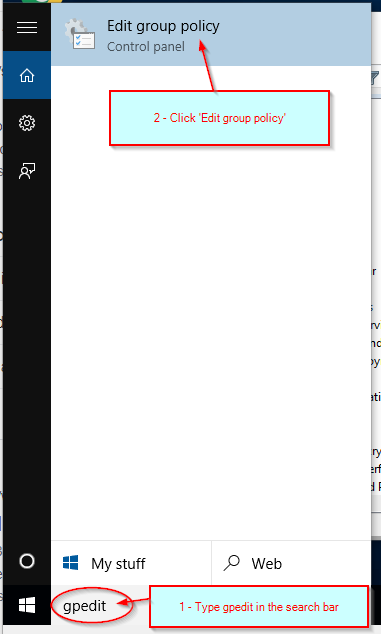
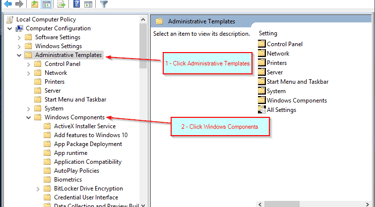
3 Under Computer Configuration (which is under Local Computer Policy), first click ‘Administrative Templates’ to expand that menu. Then click ‘Windows Components’ to expand that menu.
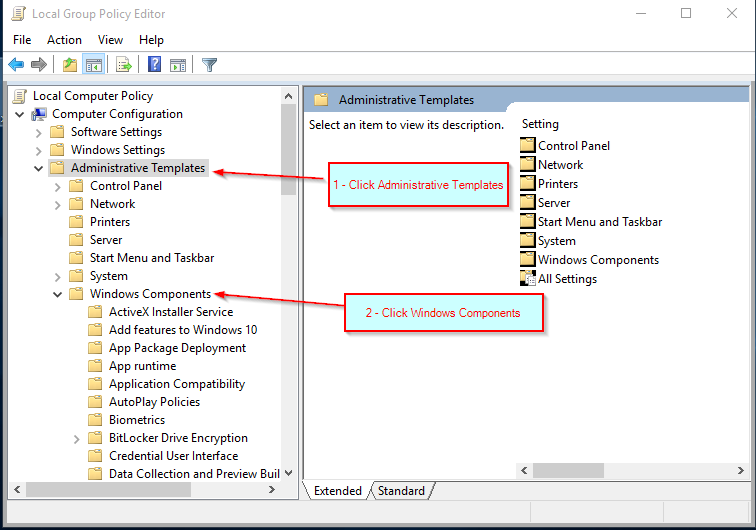
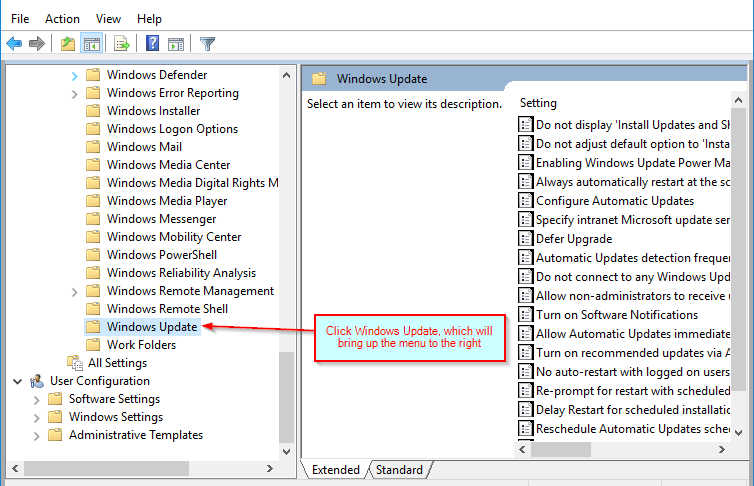
4 Scroll down and click ‘Windows Update’ to bring up the menu shown on the right hand side of the screen below.
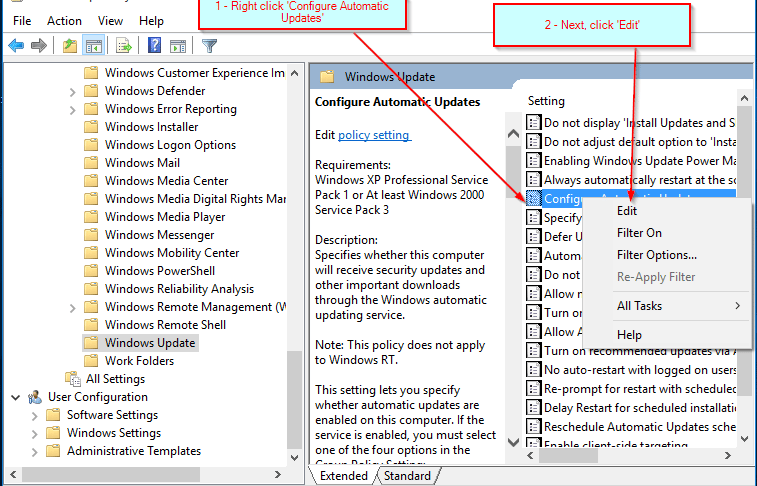
5 Right click ‘Configure Automatic Updates’, then click ’Edit’.
6 Click ‘Disabled’, then ‘Apply’, then ‘OK’.
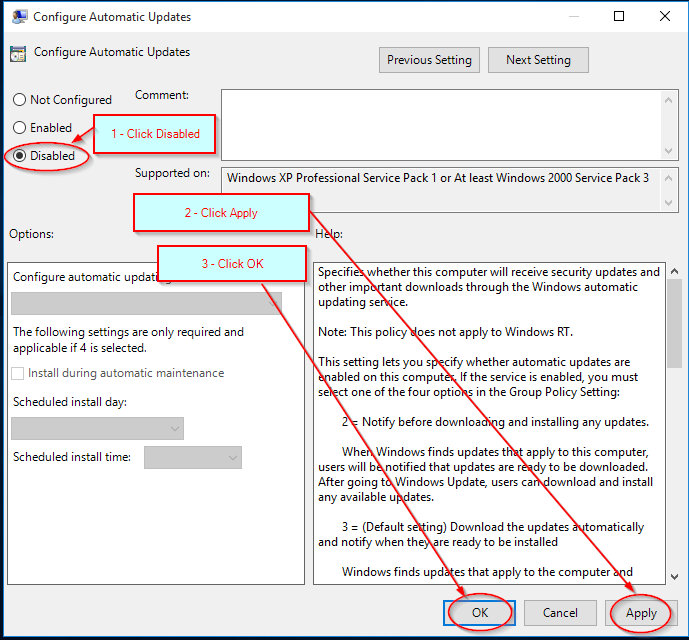
6 Click ‘Disabled’, then ‘Apply’, then ‘OK’.
2 Click ‘Edit group policy’